Frequently Asked Questions about CtrlPrint
Read everything you need to know about our corporate reporting platform. If you require more assistance, feel free to contact us direcly.
General information
-
What is CtrlPrint?
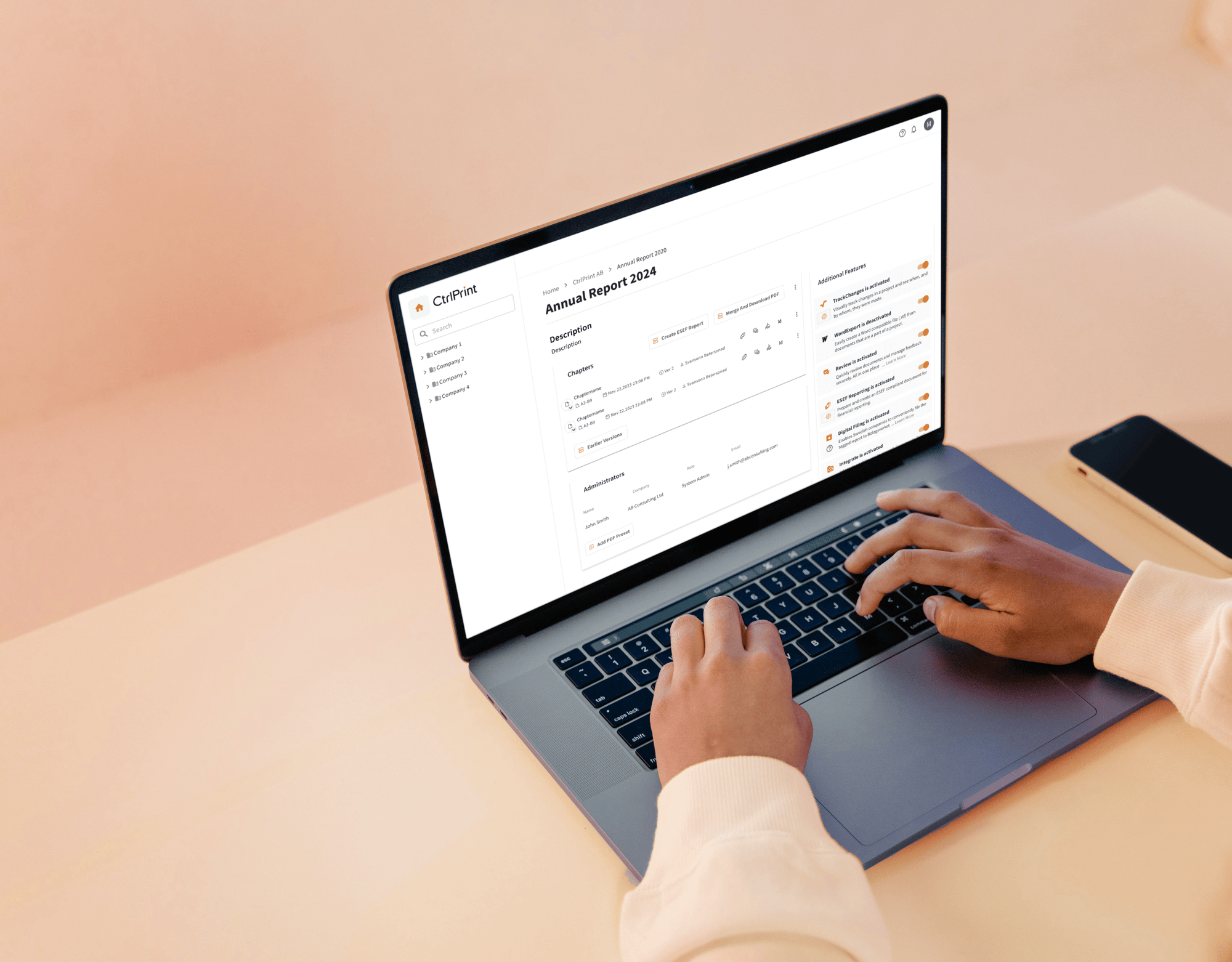
CtrlPrint is a leading collaboration platform specifically designed for the creation of corporate, financial, and sustainability reports. We streamline the reporting journey—from drafting and design to final publication—allowing multiple contributors to work on the same project with granular access and full version control.
-
Who uses CtrlPrint?
Trusted by over 50% of the FTSE 100, our platform is the industry standard for listed companies, financial institutions, and agencies that require high-stakes reporting. We are used by finance teams, sustainability experts, corporate communications professionals, and design agencies to produce annual reports, ESG disclosures, interim statements, and more.
-
What are the main benefits of using CtrlPrint?
- Efficiency: Customers report up to a 50% faster reporting process and a 30% reduction in production costs.
- Seamless Integration: Work directly in professional tools like Adobe InDesign, Adobe InCopy, and Microsoft Excel.
- Version Control: Never lose track of changes; you can compare and revert to previous versions whenever necessary.
- Security: Enterprise-grade security ensures your sensitive financial data remains protected.
Product & features
-
Does CtrlPrint support XBRL and ESEF tagging?
Yes. CtrlPrint includes a certified XBRL Tagger that enables compliant digital filings in iXBRL format. Our platform supports integrated tagging and validation for a wide range of financial and sustainability reporting requirements, ensuring your reports are both professionally designed and ready for regulatory submission.
-
Which reporting frameworks and regulations does CtrlPrint support?
CtrlPrint is built to support demanding financial and sustainability reporting requirements through compliant iXBRL digital filing workflows. We provide integrated tagging and validation for:
- Financial Reporting: ESEF (European Single Electronic Format), UKSEF, IFRS Taxonomies, Danish GAAP (DK-GAAP), and Dutch KVK SBR.
- Sustainability & ESG: CSRD (including ESRS taxonomy tagging), EU Taxonomy Article 8, and ISSB standards.
- Regulatory Filings: Our platform ensures all digital filings meet the technical specifications of national and European authorities through our certified tagger.
-
What file formats does CtrlPrint support, and what are the output formats?
CtrlPrint is designed to bridge the gap between high-end professional design and technical regulatory requirements. In our workflow, Adobe InDesign serves as the single source of truth, ensuring your report is always design-accurate and data-consistent.
1. Importing Data and Text (Input)
We enable seamless collaboration by allowing contributors to work in familiar tools before bringing content into the design environment:
- CtrlPrint Integrate: Link Microsoft Excel (.xlsx) and Microsoft Word (.docx) files directly to your InDesign layouts for automated data synchronisation and updates.
- Authoring: Draft and edit text using Adobe InCopy (.icml) or Word to ensure content is ready for the design stage.
2. Design and Production
All layout, typography, and professional design work happen within Adobe InDesign (.indd). This ensures that your corporate identity is maintained to the highest standard throughout the reporting process.
3. Compliance and Distribution (Output)
Once the report is finalised in InDesign, CtrlPrint supports multiple output formats to meet both traditional and digital requirements:
- High-Resolution PDF: Print-ready and web-optimised PDFs for traditional stakeholder distribution.
- iXBRL (Inline XBRL): Documents are exported to our certified XBRL Tagger to create compliant digital filings for ESEF, CSRD, KVK SBR, and other regulatory mandates.
- Microsoft Word Export: An optional feature that allows you to export chapters back to Word for external review or additional drafting.
-
What is "CtrlPrint Integrate"?
CtrlPrint Integrate allows you to synchronise data between your source files (like Excel or Word) and your designed report (InDesign). With one click, you can update tables, figures, and text throughout the document, eliminating manual copy-pasting and reducing the risk of errors.
-
What is “CtrlPrint Review"?
CtrlPrint provides a structured, trackable environment for verifying both report content and digital tagging. Our review ecosystem is divided into two specialised tools designed to ensure your latest version is always accurate and compliant.
1. Document Review: Verifying Design and Narrative
Document Review is a specialised tool for reviewing and commenting on PDF chapters. It streamlines the feedback loop between stakeholders and designers:
- Latest Version Access: Reviewers always work on the most recent iteration of the report to prevent version conflicts.
- Comments as Action Items: Every comment functions as an actionable task with a specific resolution status. This ensures feedback is tracked to completion rather than lost in emails.
- Individual Accountability: Specific users can be tagged in the text, ensuring clear ownership for every task.
2. Tag Review: Ensuring iXBRL Quality
For digital filing compliance, we offer a dedicated Tag Review feature. This allows sustainability and finance experts to:
- Verify Narrative Tagging: Specifically, audit the quality and accuracy of XBRL/iXBRL tags within the report's text.
Compliance Check: Ensure that all mandatory disclosures under frameworks like ESEF are correctly mapped and technically sound.
-
What is “CtrlPrint TrackChanges”?
CtrlPrint TrackChanges is a feature integrated into Adobe InCopy and InDesign that allows users to monitor, accept, or reject modifications made to the report document during the collaborative reporting process. It provides transparency, allowing teams to see who made changes, what was changed, and when. Users can open the "CtrlPrint TrackChanges" panel via the InCopy/InDesign menu bar to view a list of all changes in a chapter. Changes can be filtered by date, specific user, or document layer.
Users with appropriate permissions can also select specific changes, or all changes in a chapter, and accept or reject them. When a chapter is checked out, changes are recorded automatically, ensuring a complete history of edits, which is crucial for managing audit trails in annual reports.
-
Does CtrlPrint offer AI-powered reporting features?
Yes. Through CtrlPrint Intelligence, we are building an ever-evolving suite of AI-driven tools designed to streamline the corporate reporting cycle.
Currently, our AI-powered Change Summary feature allows reviewers to instantly generate a narrative summary of material changes between two versions of a report. This turns hours of manual comparison and version-checking into seconds of productive work.
Privacy first: Our AI features are strictly opt-in. Your data is processed in a secure environment, and it is never used to train public AI models, ensuring total data sovereignty for your sensitive financial and sustainability disclosures.
-
Can multiple people work on the same document at once?
Yes. CtrlPrint creates a structured, collaborative workspace. While one user is editing a specific chapter or layout, others can view the latest version, leave comments, or work on different sections of the same project. Note that the chapters can only be edited one at a time to guarantee no override and no miscommunication.
Security & compliance
-
Where is my data stored?
For our European customers, data is hosted and processed within the European Union. We use reputable cloud infrastructure providers with high availability, redundancy, and strong physical and logical security controls.
-
Is CtrlPrint ISO certified?
Yes. CtrlPrint has been certified according to ISO/IEC 27001 since 2016, the international standard for information security management systems (ISMS). This certification is independently audited and demonstrates our systematic approach to managing sensitive information
-
How do you handle GDPR and DORA compliance?
CtrlPrint is fully GDPR compliant, following the principle of "Privacy by Design." We are also compliant with the EU Digital Operational Resilience Act (DORA), ensuring our platform meets strict operational resilience standards for the financial sector.
CtrlPrint acts as a data processor and supports customers in meeting their GDPR obligations. We follow “Privacy by Design and Default” principles, including:
- Data minimization
- Access controls
- Secure processing and storage
- Data processing agreements (DPA) with customers
-
Do you provide independent assurance reports?
Yes. CtrlPrint undergoes annual independent audits, including:
- ISAE 3402 Type II (SOC 1) report covering internal controls relevant to financial reporting
Additional documentation can be shared under NDA upon request.
-
How do you manage backups and disaster recovery?
We maintain regular backups and have disaster recovery procedures in place to ensure data integrity and service continuity. Recovery processes are tested periodically.
-
How do you handle security incidents?
CtrlPrint maintains an incident management process to detect, respond to, and resolve security incidents. Customers are notified in accordance with contractual and regulatory requirements.
Support & implementation
-
What kind of support does CtrlPrint offer?
We provide first-line support with qualified personnel. Our team is available via email and phone during standard business hours in GMT, CET, EET, and AEST/AEDT. We pride ourselves on a 30-minute response time during active service hours.
-
Is training provided for new users?
Yes. We offer comprehensive onboarding and support to ensure your team is proficient in using the platform. Our Support Site and Learning Hub also contain a wealth of guides, from installation to advanced tagging techniques
-
What are the system requirements?
CtrlPrint works alongside Adobe InDesign and InCopy. We provide a "Transfer Manager" for both Windows and macOS to manage the seamless movement of files between your desktop and our secure cloud.
YEARS OF EXPERIENCE
REPORTS PRODUCED
COUNTRIES WORLDWIDE
CLIENTS
Discover how it works!
It only takes a few moments to book a demo.