 Michel Pinna
.jpg)
1 min read
The CFO’s dilemma: balancing AI acceleration with audit integrity
The initial hype surrounding artificial intelligence in corporate finance has settled. We have moved past the "wow" phase of generative text and are...
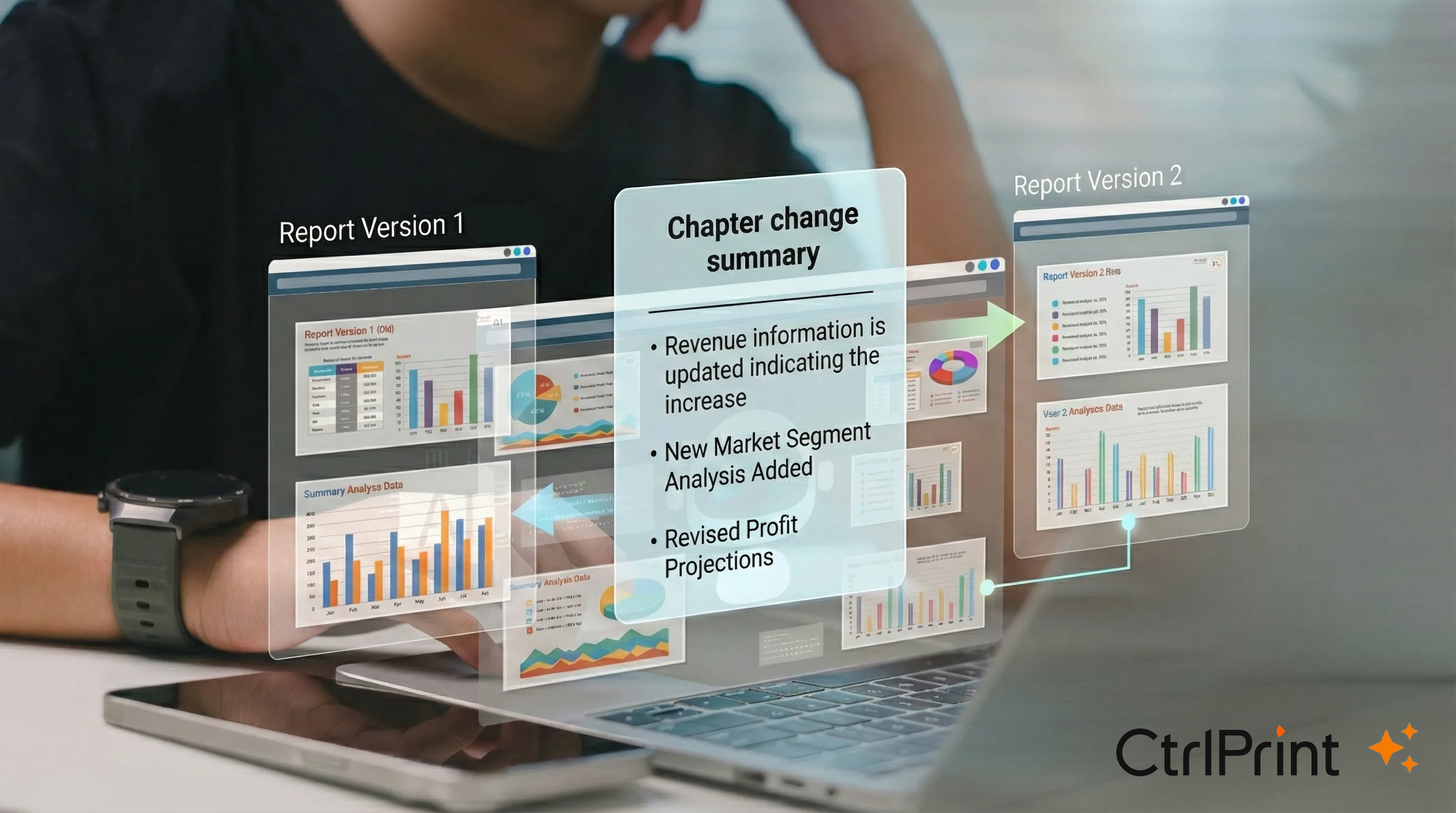
Reviewing the changes between versions can take up considerable time. Version number has changed, but what is actually new? Keeping track of progress shouldn’t be the part that slows reporting down - but it often is. Writing, designing and tagging content is only half the job. Before a new version becomes “latest”, someone still needs to answer one question:
What has actually changed?
In high-stakes, time-pressured review cycles, version notes and comments don’t always give reviewers the confidence they need. Teams end up comparing two PDFs side by side - especially when layout has shifted or new visuals have been added. It’s time-consuming, and it can become a bottleneck for approvals.
With CtrlPrint Intelligence, we’re introducing our first AI-assisted tool designed to speed up review workflows without changing how you work in CtrlPrint.
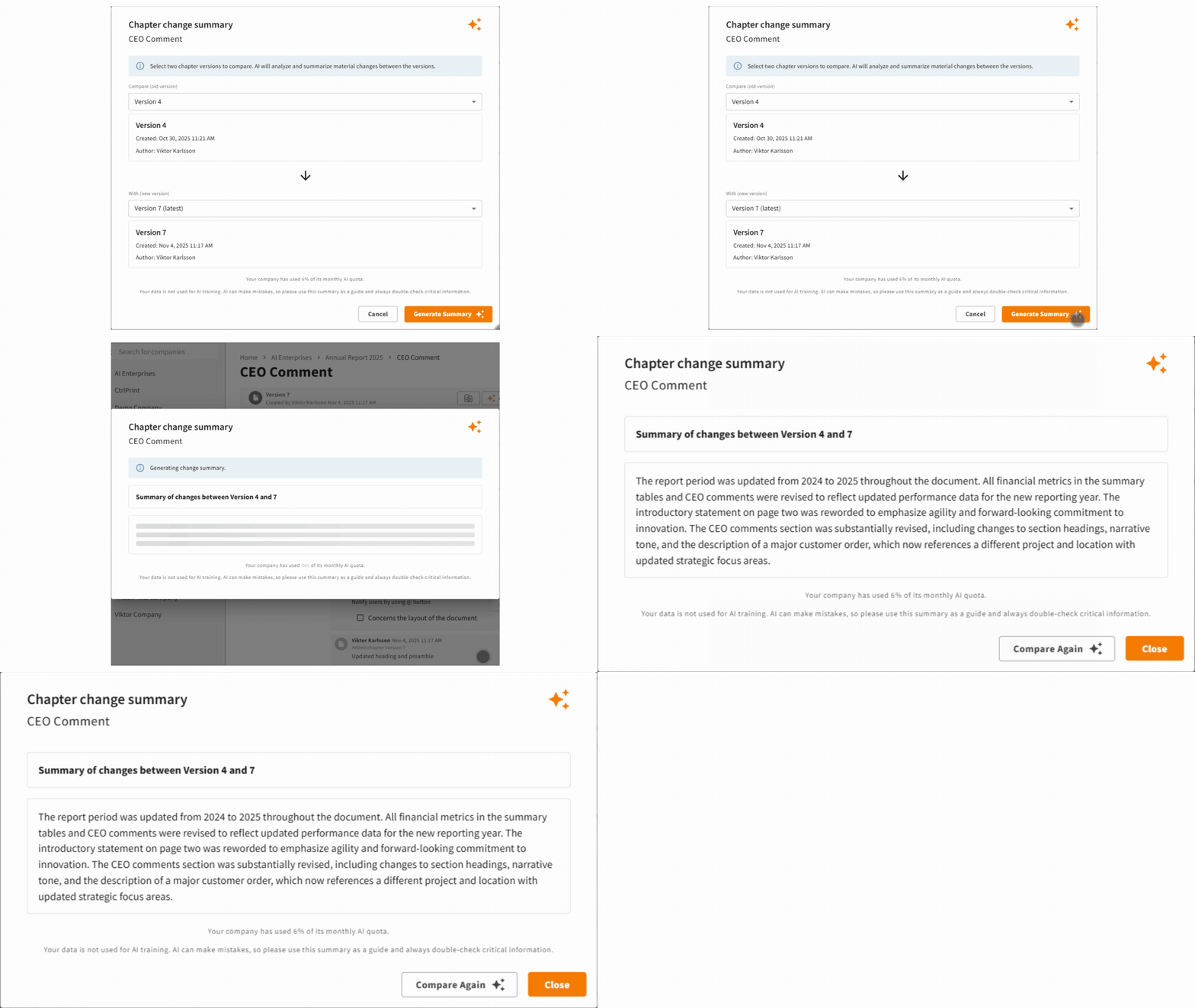
Change Summary lets you select two versions of the same chapter and generates a short summary of the material changes in seconds. It’s a quick way to understand what’s new before you dive into detailed validation.
Use Change Summary to speed up internal review and approval rounds - especially when senior stakeholders need a quick overview before they approve.
Use Change Summary to reduce “what changed?” calls and emails, and make client review cycles easier to manage across multiple contributors and iterations.
1. Enable CtrlPrint Intelligence (admin-controlled)
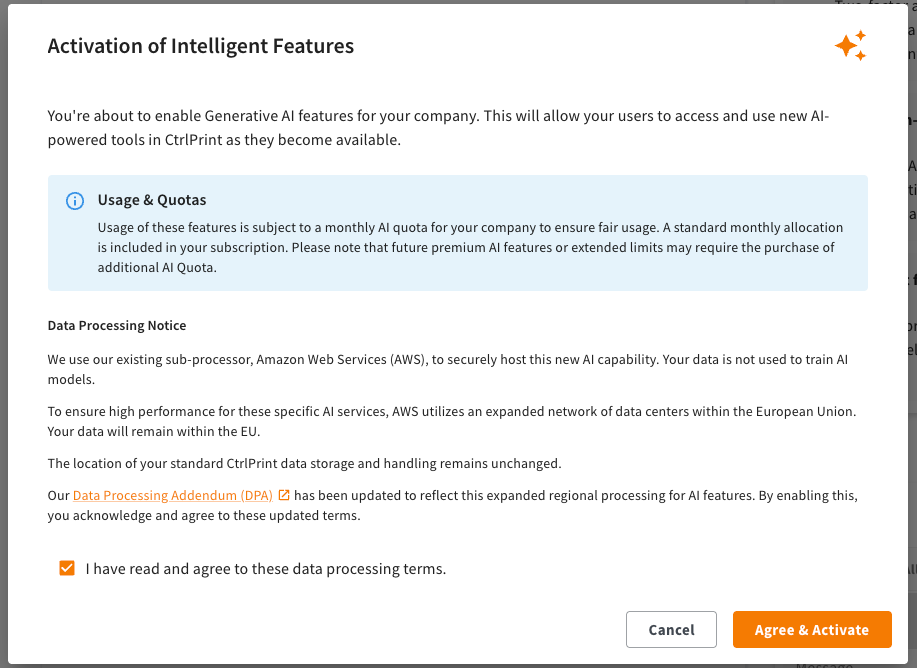
AI features are off by default. To use Change Summary, a Company Administrator needs to enable Intelligent Features.
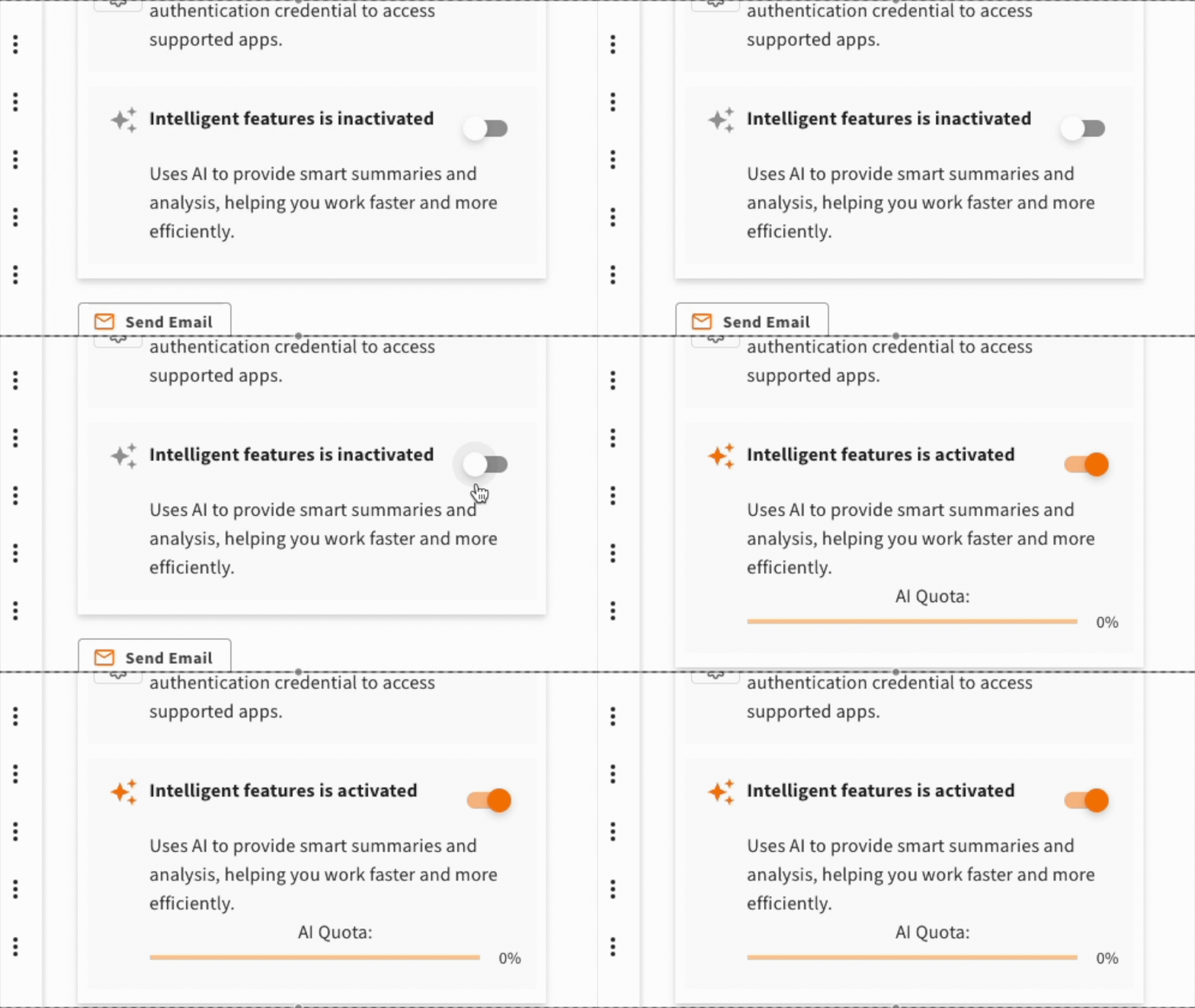
During activation, the administrator needs to review the data processing terms. You can find more details in the Data Processing Addendum, Schedule 3 is the updated part. This clarifies what is processed, where it is processed, and under which terms - so there are no surprises.
2. Open your chapter and run a comparison
Once enabled, go to a chapter with multiple versions, click “Change summary”, and select the two versions you want to compare.
Security remains the priority - and we’ve designed CtrlPrint Intelligence Features so you can benefit from AI without changing the way your existing workflow runs.
CtrlPrint Intelligence Features are included with your licence at no extra cost, up to a monthly AI usage limit.
This gives your team access to AI-assisted features like Change Summary without additional charges, while keeping usage fair and predictable.
You can always see how much of your included usage has been used:
If your company reaches 100% of its included monthly usage, AI-powered features are paused for the rest of the month and automatically resume after the monthly reset.

In recent years, the audience for corporate reporting has fundamentally changed. While we still write for the human analyst, we are now equally...
%20CtrlPrint%202026%20highlights%20and%20roadmap%20.pptx%20(1).png)
Reporting teams work under constant pressure: numbers change late, reviewers add comments across multiple chapters, and deadlines leave little room...
1 min read
The initial hype surrounding artificial intelligence in corporate finance has settled. We have moved past the "wow" phase of generative text and are...
1 min read
Annual reports do more than meet compliance requirements. They tell your story, signal performance and priorities to investors, and bring your...
1 min read
In recent years, the audience for corporate reporting has fundamentally changed. While we still write for the human analyst, we are now equally...