AI enhanced corporate reporting whitepaper
In recent years, the audience for corporate reporting has fundamentally changed. While we still write for the human analyst, we are now equally...
3 min read
CtrlPrint Team : Updated on June 2, 2026
Reporting teams work under constant pressure: numbers change late, reviewers add comments across multiple chapters, and deadlines leave little room for mistakes.
Our latest product updates are designed to reduce manual review work, improve control over changing source data, and help teams identify issues earlier in the reporting process. With new improvements in CtrlPrint Review, CtrlPrint Integrate, XBRL Tagger, and Preflight, teams can manage feedback more clearly, validate data updates with greater confidence, and reduce manual checks close to publication deadlines.
The new updates include:
One of the most time-consuming parts of reporting is reviewing updated chapters and figuring out what actually changed.
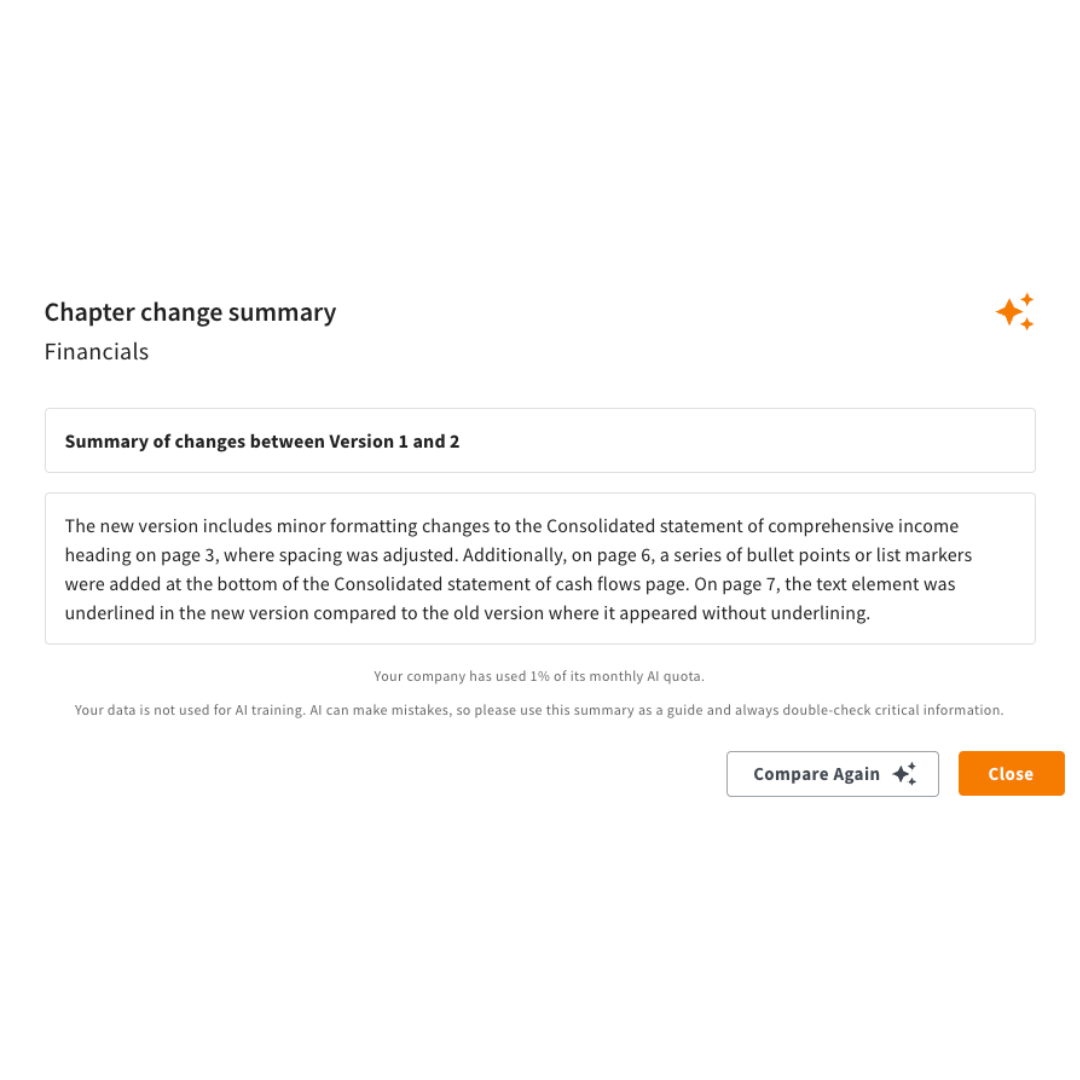
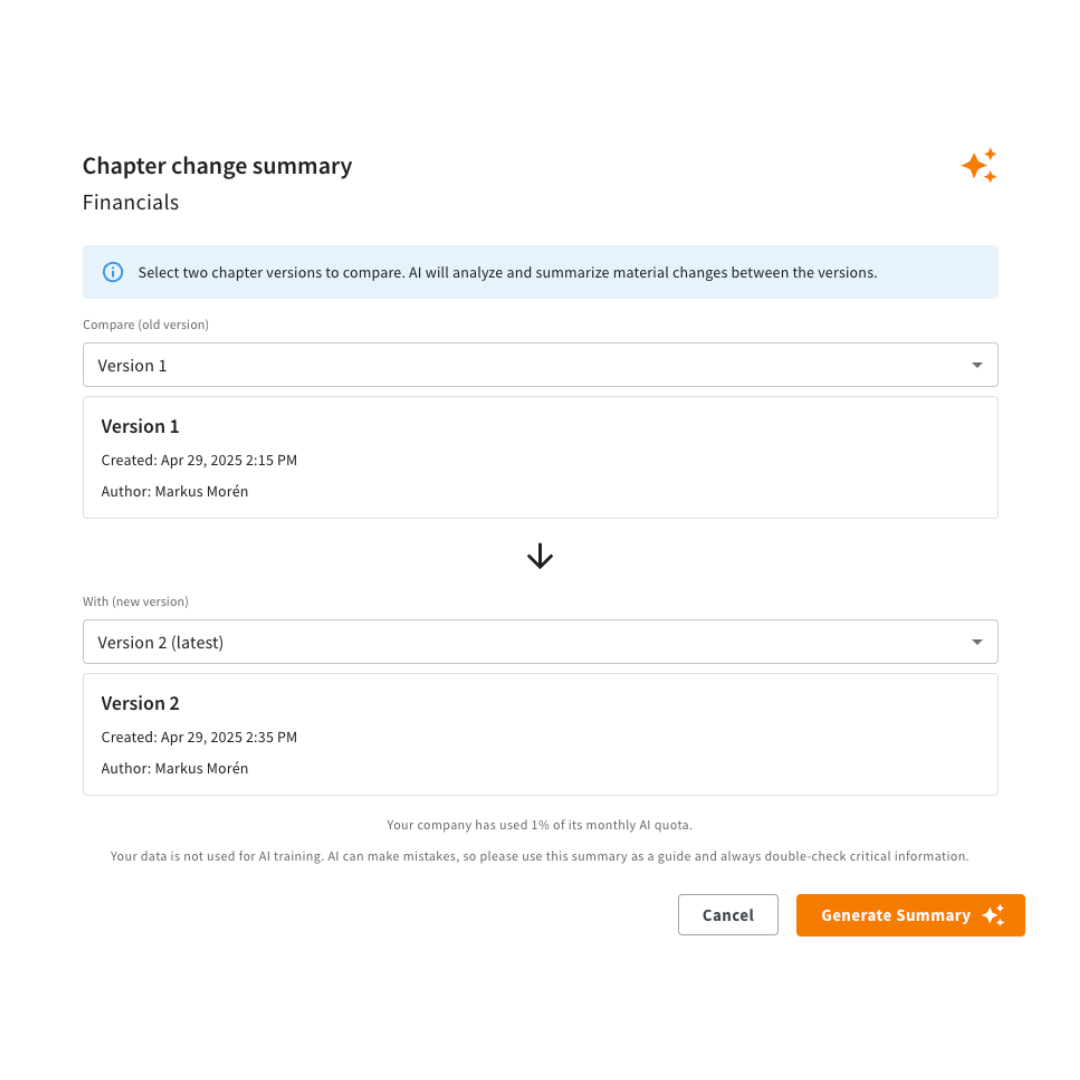
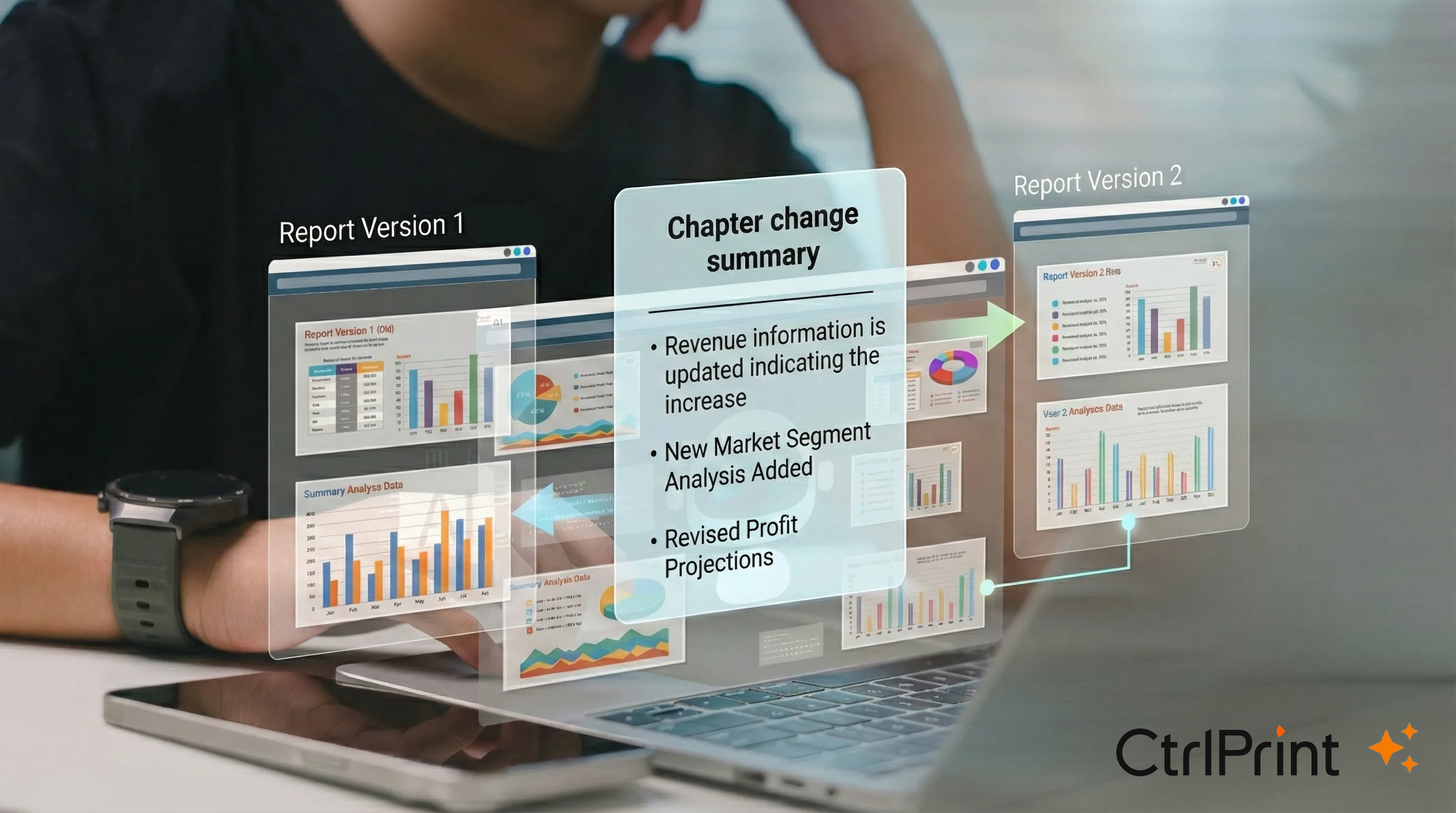
With the new AI Change Summary, users can compare two chapter versions and instantly receive a high-level summary of the material updates.
Instead of manually re-reading an entire chapter, reviewers can quickly identify:
This helps teams focus their attention on the areas that matter most — especially during late-stage review rounds when time pressure is highest.
For finance, sustainability, legal, and communications teams, this can significantly reduce the time spent reviewing repetitive version updates.
As reporting deadlines approach, review comments often increase rapidly across multiple stakeholders:
finance, sustainability, legal, auditors, agencies, and management teams.
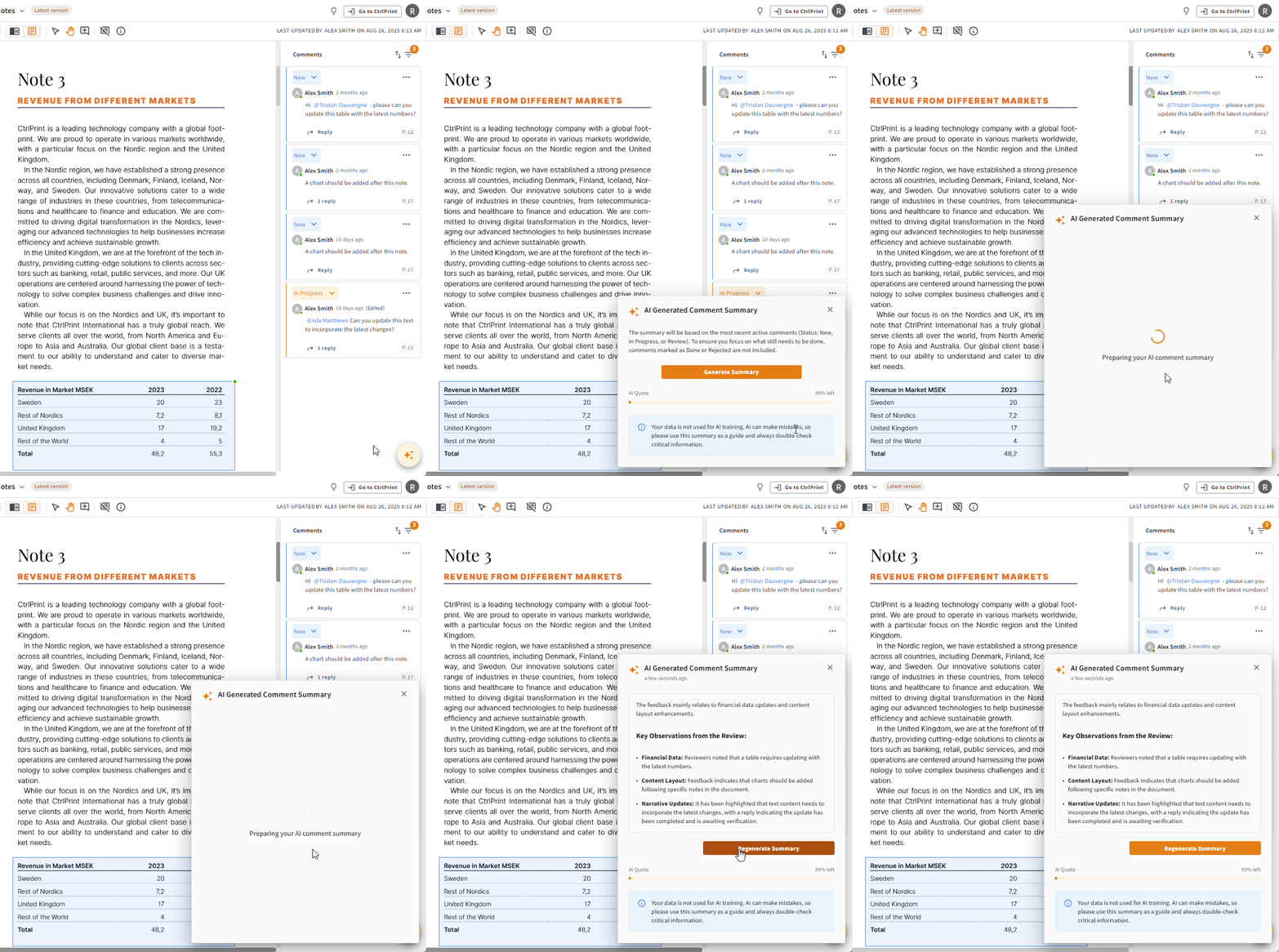
AI Comment Summary helps users quickly understand:
| AI Comments categorisation | AI Comments summary |
|
|
|
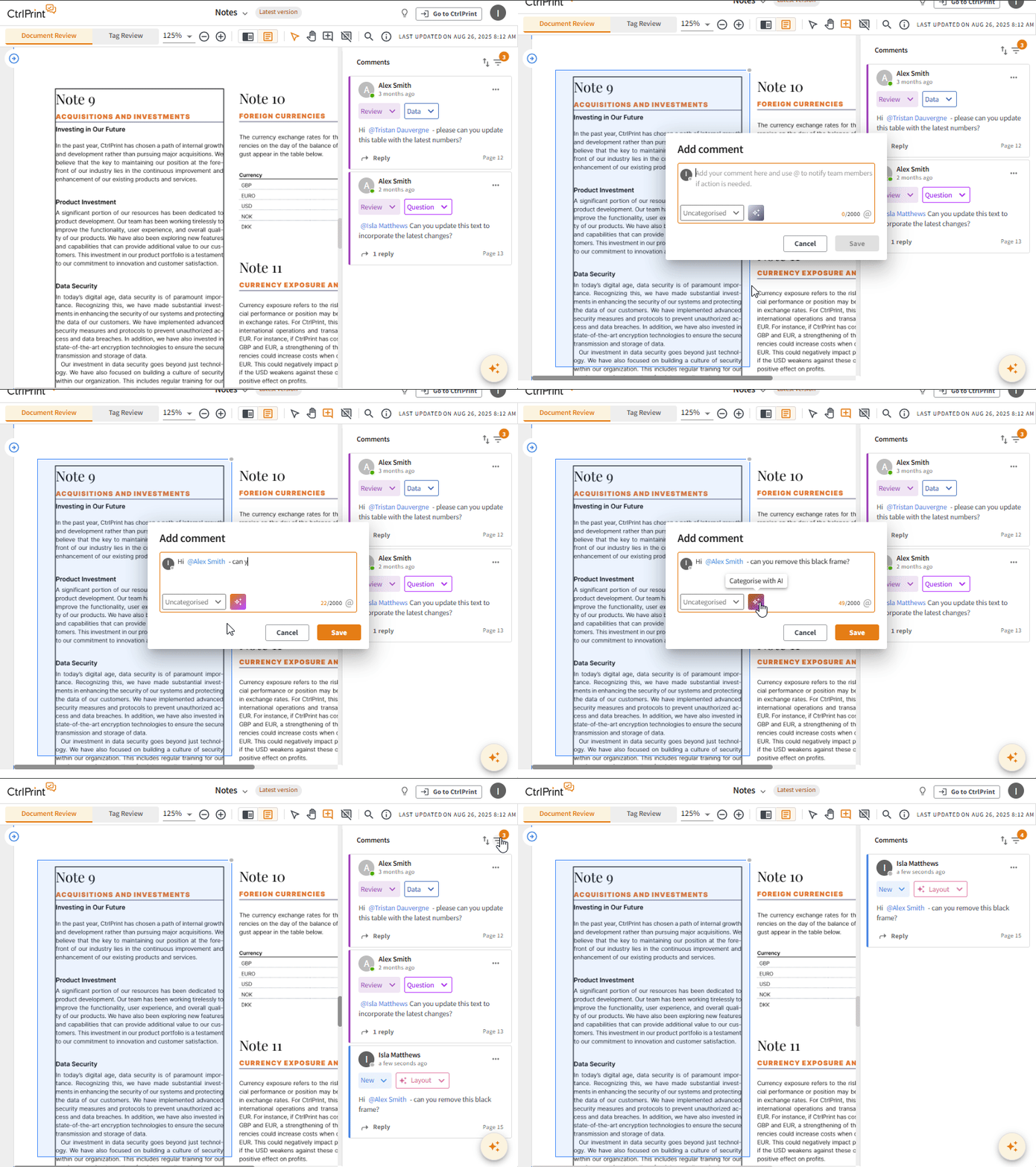
Review comments can now also be categorised, making it easier to manage high volumes of feedback across different themes or areas of responsibility. Users can categorise comments manually or, when enabled, use AI to assist with categorisation. Categories can also be included in CSV exports, supporting clearer follow-up outside CtrlPrint when needed.
Combined with CtrlPrint Review — where comments can be assigned, tracked, and managed directly in the workflow — teams gain a clearer overview of outstanding issues without losing time in long email threads or scattered PDF markups.
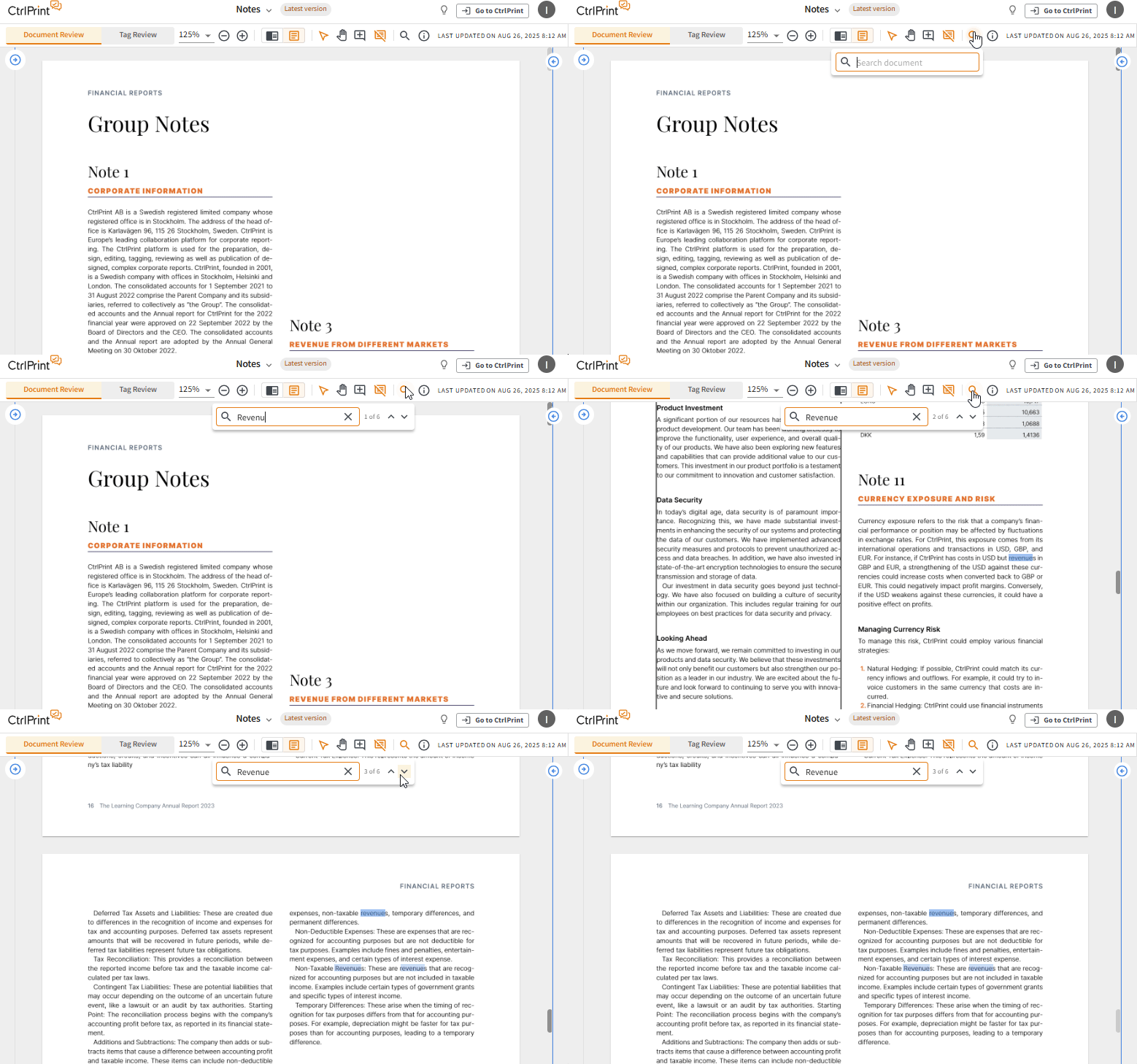
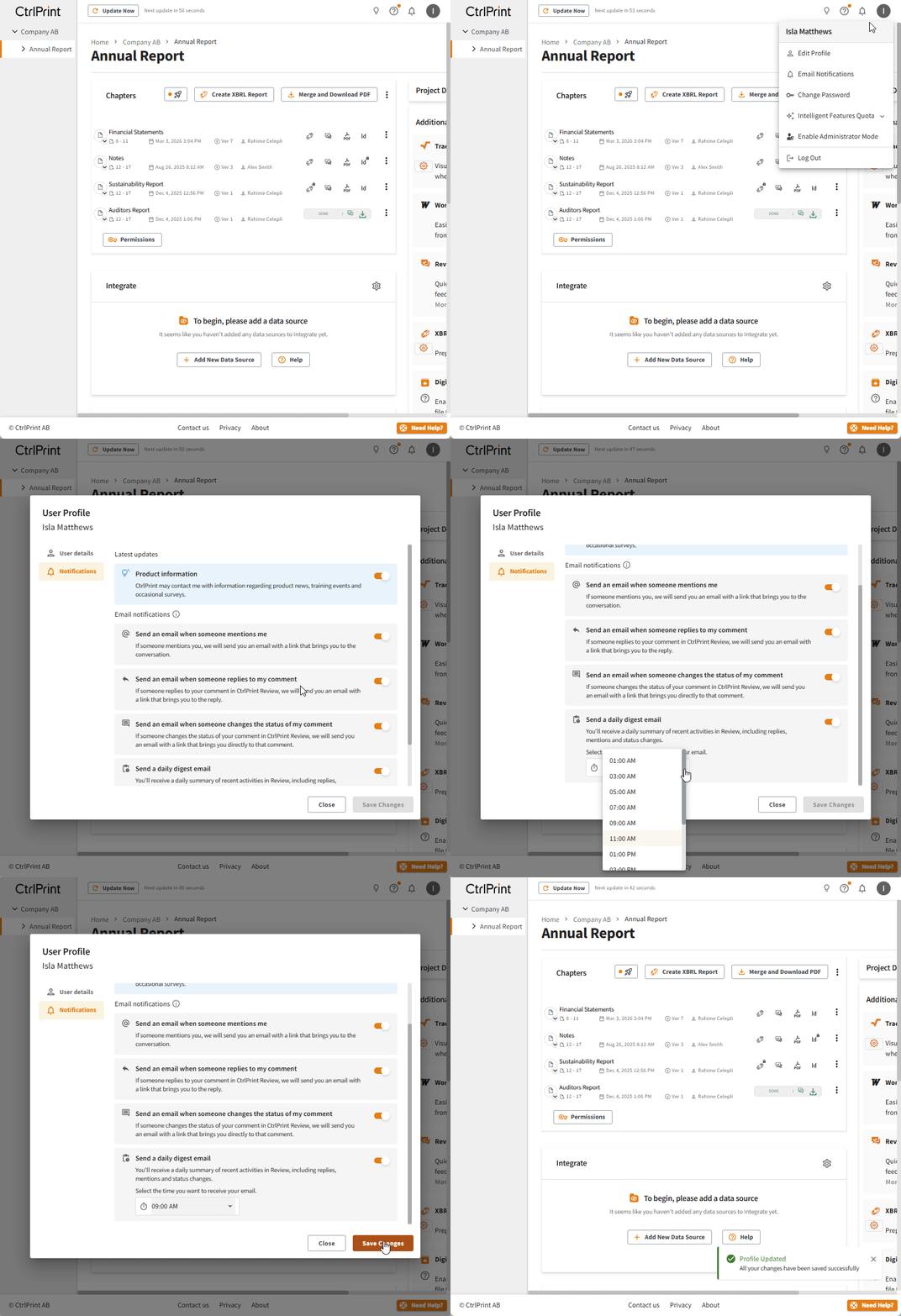
Users can also search for and copy specific text directly from Document Review, making it easier to reference wording or share extracts during review. A new daily digest helps reduce email overload by summarising Review-related activity, with notification settings available from the avatar menu.
Users can also search for and copy specific text directly from Document Review, making it easier to reference wording or share extracts during review.

A new daily digest helps reduce email overload by summarising Review-related activity, with notification settings available from the avatar menu.

The result is a more structured and manageable review process under tight deadlines.
You can find out how CtrlPrint employs Artificial Intelligence in a secure and transparent manner in our AI transparency centre.
Updating source data is a normal part of every reporting cycle.
The challenge is often understanding what will change before new numbers are pushed into the report.
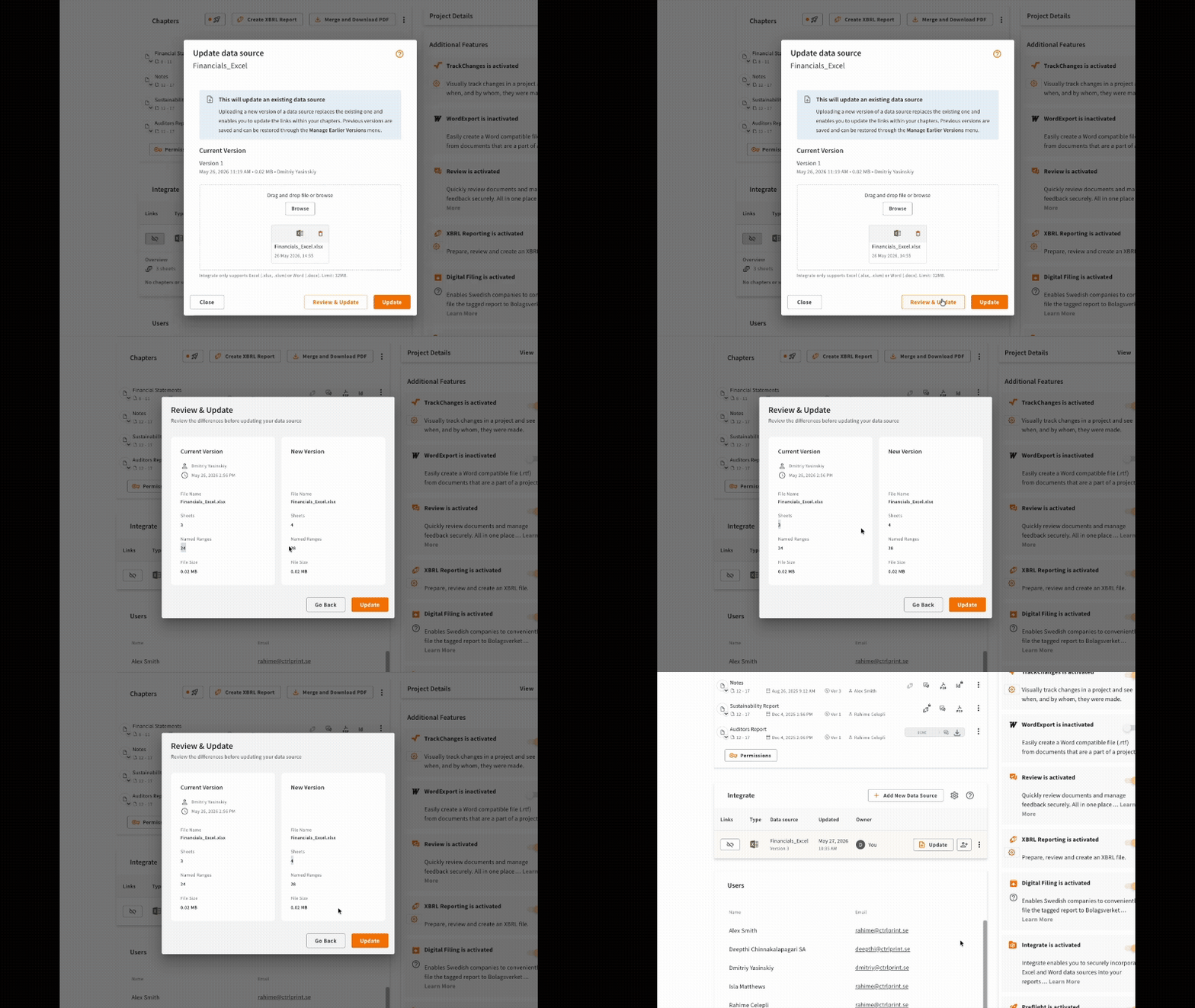
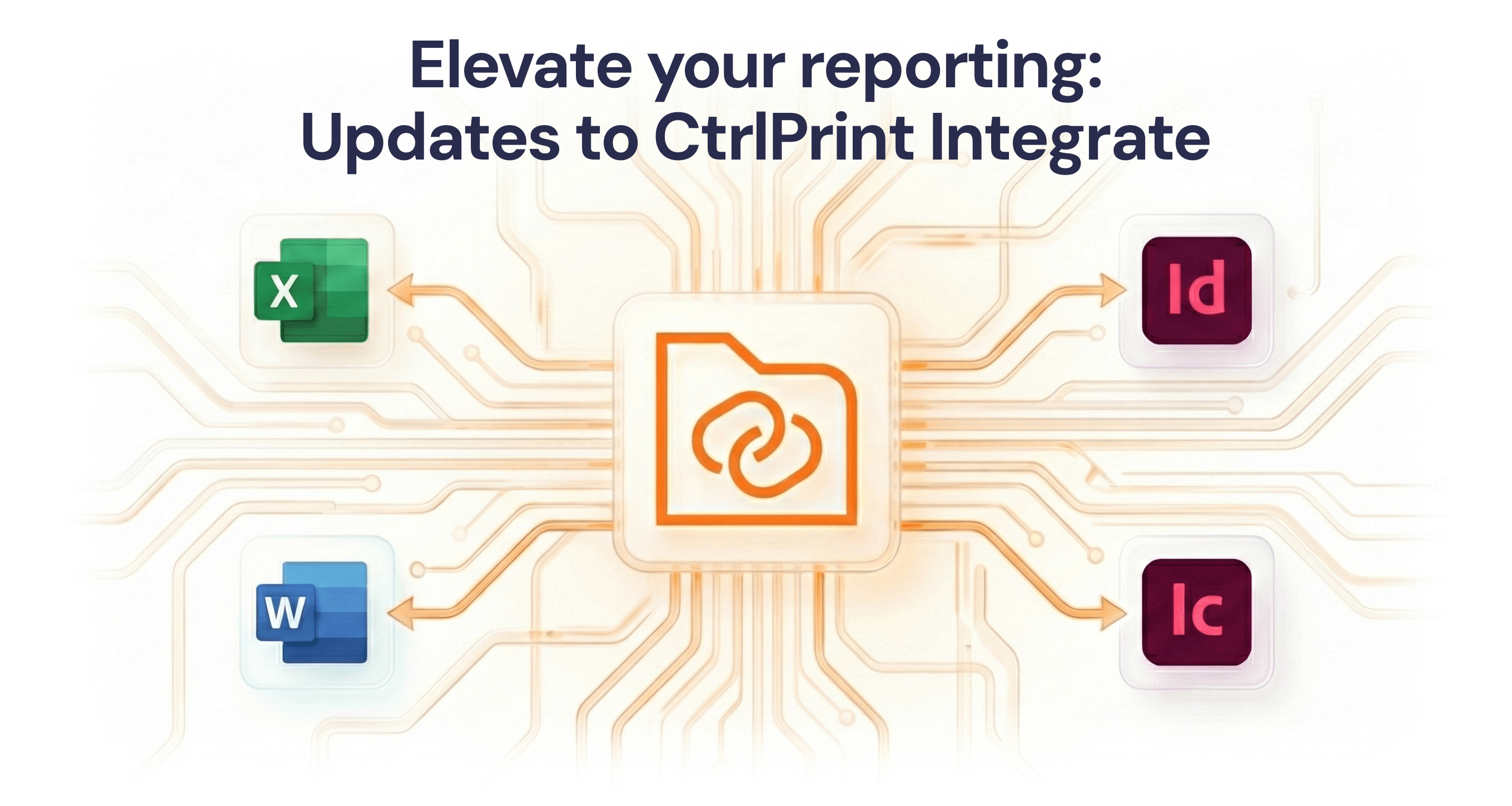
With the latest CtrlPrint Integrate improvements, users can now compare a new Excel source file against the current version before updating the report.
This gives teams clearer visibility into:
Instead of updating blindly and checking the result afterwards, reporting teams can now validate changes before synchronisation happens.
This creates a safer and more predictable workflow — especially when data sources are updated multiple times close to publication deadlines.

CtrlPrint Integrate has also been improved to support more reliable handling of large Excel and Word data sources.
Recent updates include:
These improvements help teams reduce manual checks and maintain confidence that report content reflects the latest approved data.
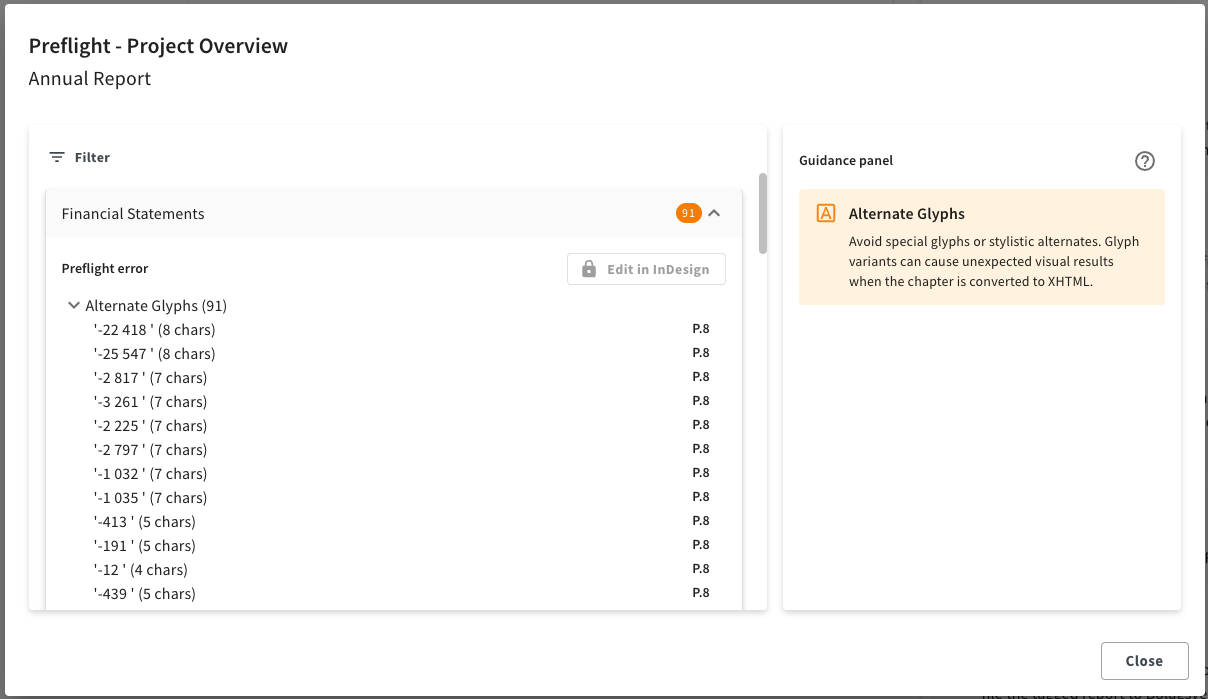
Final production checks often happen when there is little time left to fix issues. The updated Preflight experience in InDesign and InCopy helps teams identify unresolved formatting and compliance-related issues earlier in the workflow. With the latest update, Preflight errors for new documents added from InDesign are instantly available from the project page, without needing to reopen and save the document to the server first.
By surfacing issues directly where report production happens, Preflight supports more consistent output and reduces the risk of last-minute manual corrections, now both inside InDesign and in CtrlPrint platform.
For teams working with complex annual reports, sustainability reports, or ESEF/iXBRL requirements, this creates a clearer checkpoint before the report moves closer to final approval.

For teams working with Dutch SBR requirements, the CtrlPrint XBRL Tagger now supports selecting a KVK taxonomy subset based on whether the report follows IFRS or NL-GAAP.
This gives tagging teams a more focused starting point, helping them work with the taxonomy content most relevant to their reporting framework. By reducing unnecessary taxonomy noise, teams can navigate tagging decisions more efficiently and maintain better control during the preparation and review of structured reports.
This improvement reflects how CtrlPrint continues to evolve with reporting best practices and customer feedback. We continuously collect input from reporting teams, compliance specialists, designers, and tagging experts to ensure our platform stays aligned with real-world reporting workflows and at the forefront of compliance technology developments.
These updates focus on the moments where reporting teams experience the highest operational pressure:
By reducing manual review work and improving visibility throughout the workflow, CtrlPrint helps teams maintain control even during the most demanding stages of reporting.
In recent years, the audience for corporate reporting has fundamentally changed. While we still write for the human analyst, we are now equally...
Reporting teams work under constant pressure: numbers change late, reviewers add comments across multiple chapters, and deadlines leave little room...
The modern corporate reporting landscape is becoming significantly more demanding as organizations face new regulations, tighter deadlines, and...
1 min read
If your reporting process involves copying figures, tables, or narrative text from spreadsheets or documents into a designed report, you already know...
1 min read
Reviewing the changes between versions can take up considerable time. Version number has changed, but what is actually new? Keeping track of progress...
1 min read
With CtrlPrint, you have the benefit of choosing the workflow that fits the team the best; there is no one set way of doing things. However, if you...